







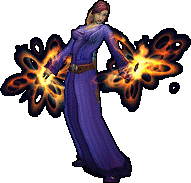
The Art & Model Pack contains game patches which replace character models, creature models, spell effects, water textures, some city and terrain textures, some audio effects for spells, and the night sky.
The Addon Starter Pack contains addons
for questing, tradeskill node locations, and expanding the functionality of the mailbox.
(Gatherer, pfQuest, Postal)
The Addon Extras Pack contains addons for bag management, bank management, automatic mount dismount, raid group interface (grid), loot box at mouse pointer (instead of far left of screen) and adding hit point numbers to target.
(Bagnon, Banknon, EzDismount)
(GridEnhanced, LootAtMouse, MobHealth)
In-Game Support is for 1.12.1 only!
The Solocraft starter guild will auto-kick your character after 7 days, type /1 to ask someone in world chat to reinvite your character. The command is "/ginvite name"
You will find the AddOns directory inside the Interface directory.
The PCP addon is the bot control panel addon.
If you are having weird issues with addons, goto the character select screen, in the bottom left corner, choose AddonOns button, then in the upper right corner change the script memory to ZERO as in 0. this will tell the client to use unlimited memory.
If your addons are not working at all, goto the character select screen, in the bottom left corner, choose AddonOns button, then in the AddOn list, each addon should have a check mark next to it.
If your addons are still not working correctly after the above have been done, check to be sure the addon is the latest version AND is for the correct client version.
Some addons require the latest version of Microsoft C++ redistributable while older addons may require an older version. Many older computer games do as well. Below are the links to the current release and previous releases.
Don't forget to set group loot to free for all or the bots will take some of your loot!

DirectX 9 End-User Runtimes (June 2010)

Microsoft Visual C++ Redistributable

Microsoft Visual C++ Redistributable

Client 1.12.1 is directx 9.0c if you are having issues with the client try reinstalling directx 9 runtimes by clicking on the picture link at the bottom and downloading it from Microsoft. Most likely it will tell you it is already installed. (Client 1.14 is directx 12 and a newer game engine, if all else fails find the modified 1.14 client to use. Client 1.14 will not work unless modified to run on a 1.12.1 realm.)
Client 1.12.1 is the true vanilla client and it is known to have bugs or become bugged during game play, when in doubt, reinstall the client. Unlike in 2005 we cannot run the client repair program, thus it is best to reinstall it.
Always make a backup copy of your solocraft game directory. Once you have all your addons working and the game is playing flawlessly copy the directory, save lots of time by having a good working backup copy instead of re-downloading everything.
Client 1.12.1 has very low system requirements by today's standards, it should run fine on ANY computer built in 2010 or after even with a non-gaming graphics card.
Note: Wrath of the Lich King 3.3.5a is also directx 9.0c
War
Technical Support is for 1.12.1 and 3.3.5a only!
