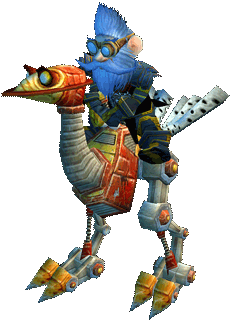




Player & Creature Model Pack

Clothes & Armour Pack
Cities Trees Spells & World Pack
Catalcysm Background Music Patch


Here you will find art, graphics, and music patches for 3.3.5a Wrath of the Lich King. These downloads include new player models, new creature models, new water textures, new city textures, new tree models, new world textures, upgraded clothes and armour textures, new spell effects and the Cataclysm world and dungeon music patch!
Be sure to read the included instructions file!
Instructions
1. download all the packs, unzip and copy all the MPQ files to your 3.3.5a \Data\ directory.
2. download the 4GB patch and patch the wow.exe file in your WOTLK main directory, it will make a backup copy of the original file and provide you with a new one which will then allow WOTLK to use 4gb of ram instead of 2gb. If you don't do this, the game will crash with the added pack updates.
NOTE: The Player & Creature Model Pack contains a copy of the 4GB patch program from NTCore. Although WOTLK might not crash using only the Player & Creature Model Pack it is highly advisable to patch wow.exe with the 4GB patch utility from NTCore to be sure you have no issues.
4GB Patch NTCore Get This Here.
4GB Patch NTCore Instructions
1. download the 4GB patch from NTCore
2. unzip the patch
3. for ease of use copy the 4gb patch program to your WOTLK main directory where you have your wow.exe file at
4. run the 4gb patch program
5. click on the wow.exe file, the patch will complete and it will make a backup copy of the original wow.exe file (you won't ever need it again however)
Extras
While the music patch is optional, for the best quality experience with Vanilla, The Burning Crusade, and Wrath of the Lich King, you should consider downloading all the upgrade packs including the music patch.
If at any time you do not like the upgrades you can delete some or all of the downloaded MPQ files and your 3.3.5a will revert back to it's original configuration - and ugly.
Extras
The selected patches provided by the forum to upgrade WOTLK are the "best choice" patches and the minimal needed to completely upgrade WOTLK to a more modern appearance. And while there are more patches out there, these patches keep the size of your your WOTLK game directory below 30gb. The combined patches will require 9.5gb more hard drive space to upgrade WOTLK for a total of 26gb
Extras
If you have a pre-existing 3.3.5a WOTLK client with patches and you wish to upgrade using our graphics packs but already have graphics upgrades in your client, you may delete everything in the \Data\ directory except . . . the enUS directory, common.MPQ, common-2.MPQ, expansion.MPQ, lichking.MPQ, patch.MPQ, patch-2.MPQ and patch-3.MPQ.
Extras
If you experience any issues with your WOTLK client you may visit the forum support page in the main menu for help.
Enjoy your brand new
!